Title

CyberKart

Stunts · editor · campaign · CPU

Cyberpunk kart racer with stunts, a track editor, and a first campaign. Build a course, Test Race, then race it.
Play in the browser ↗ cyberkart.acidlemon.com
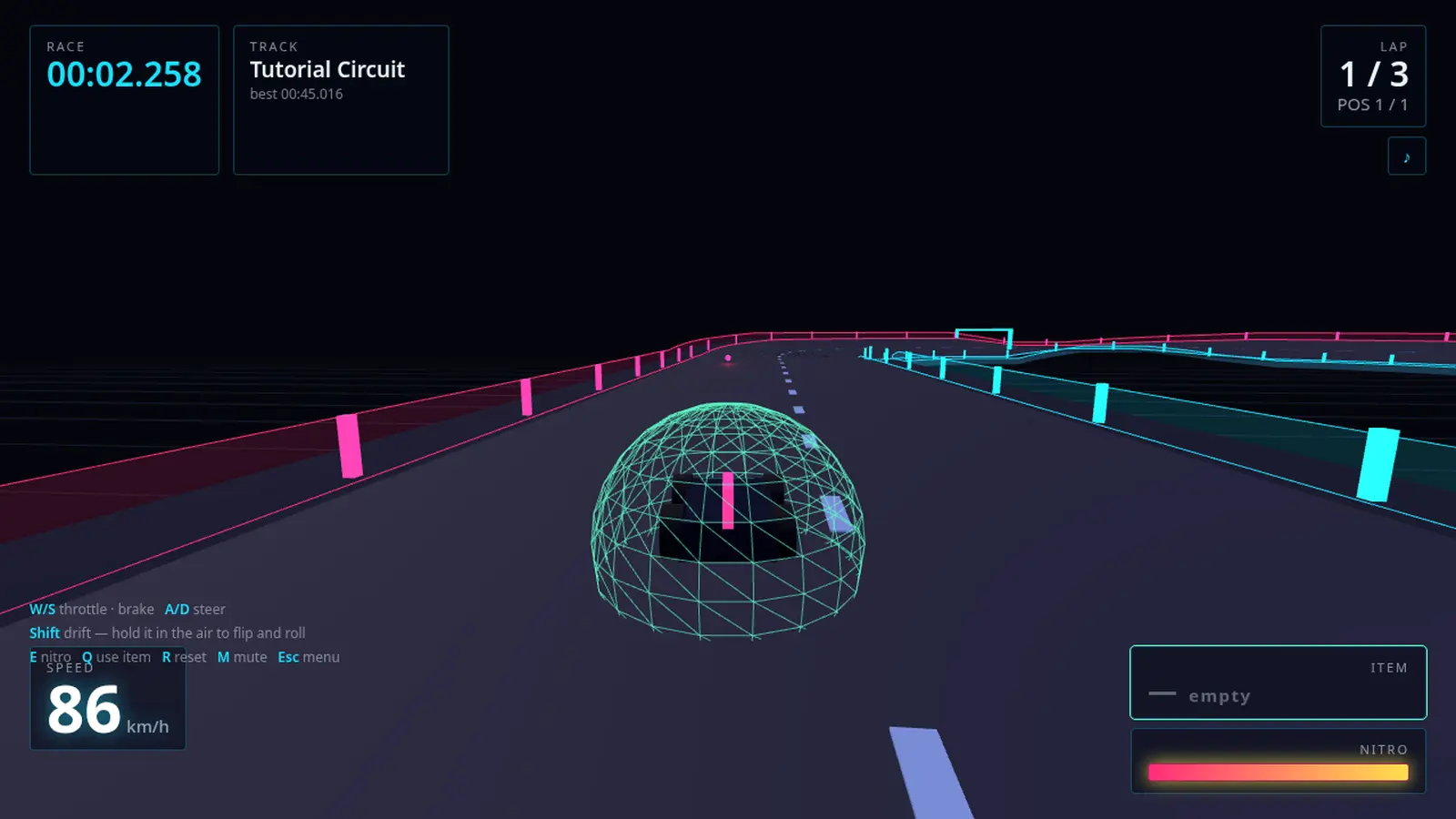
Mid-race on the Tutorial Circuit, lap 1 of 3: the kart wrapped in a cyan wireframe shield dome, running down a dark road between magenta and cyan neon rails, the race clock at 00:02.258, speed at 86 km/h, an empty item slot and a full nitro bar along the bottom.
In game Neon rail · grounded graybox catcher Captured from cyberkart.acidlemon.com
What it is

A kart racer in the browser with a neon arcade look and grounded rails — you cannot fall off the world, so a bad line costs time rather than a restart. The campaign runs nineteen tracks against a CPU field (you plus nine rivals), three laps each, with Free Play unlocking every track and your own drafts. Weapon pads hand you a Rocket or an Oil slick, one item at a time; pads sit in left, center, and right lanes. A top-right minimap shows the track silhouette, you in amber, and rivals in their car colors. The track editor sits on the menu — build a course, Test Race, then race it.

The mechanic

The track has to close

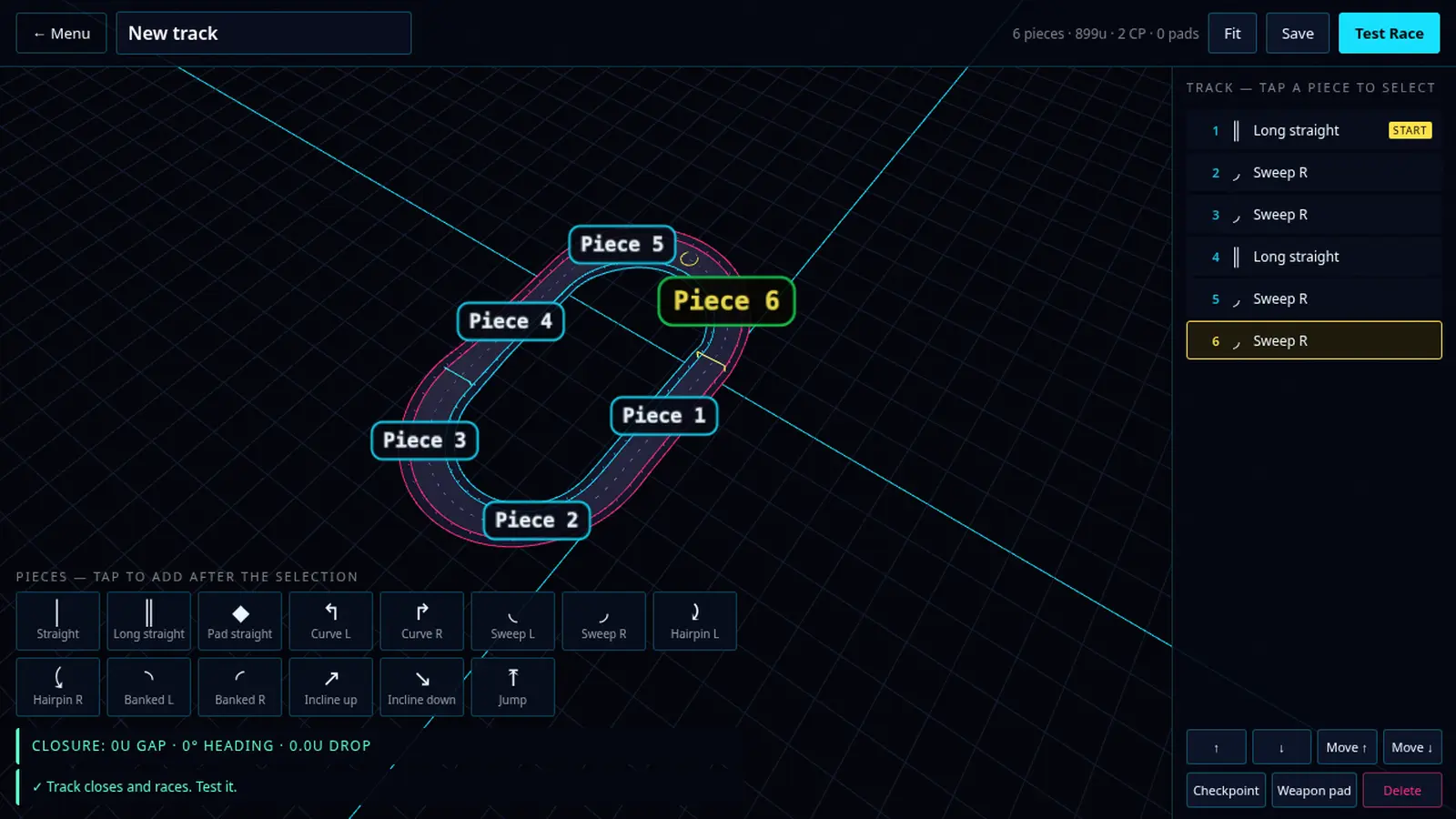
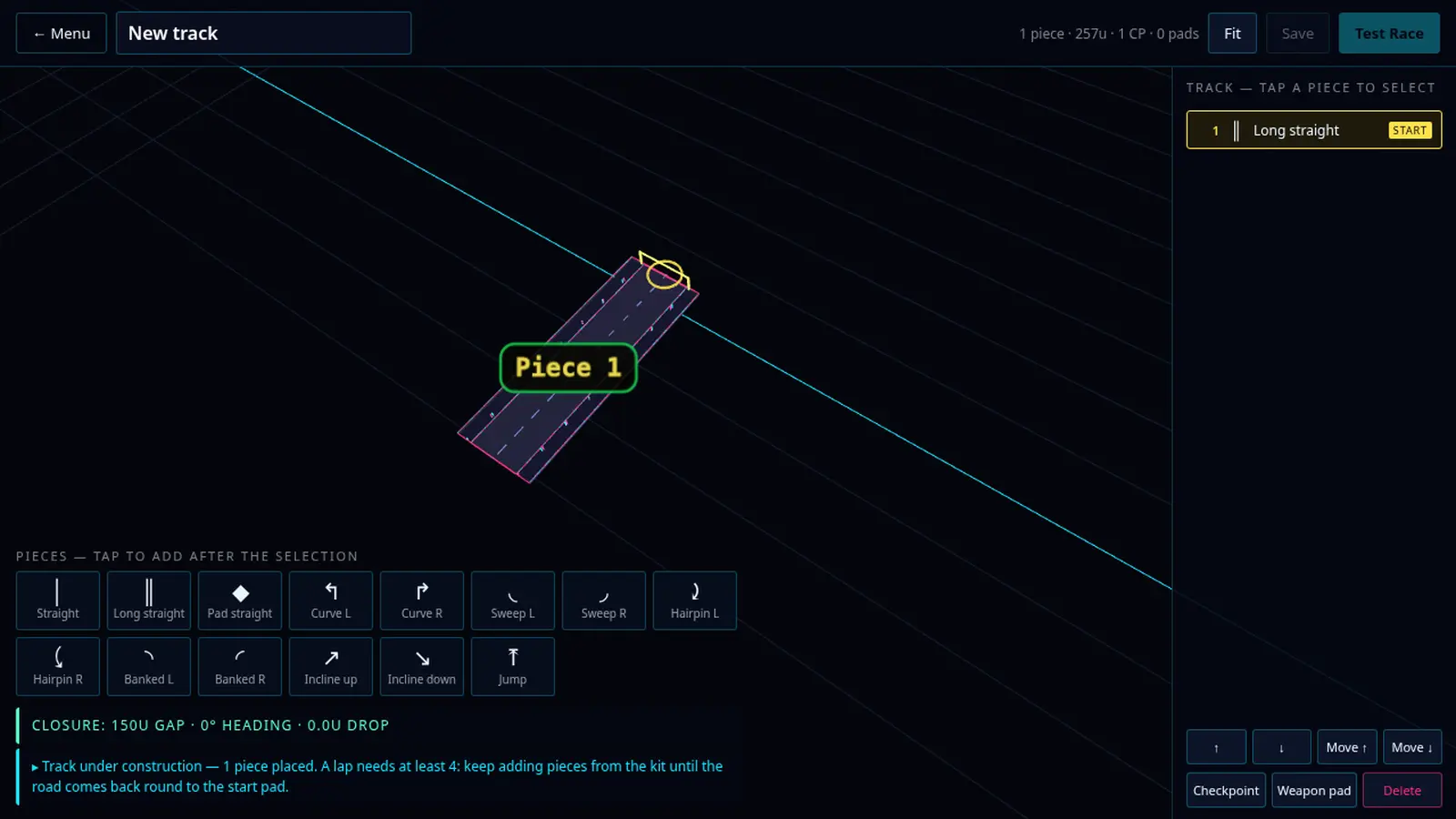
The editor is a piece kit — straights, curves, sweeps, hairpins, banked turns, inclines, a jump, a pad straight — and every piece snaps onto the end of the last one. A new track starts as a single start pad, and a closure readout counts the gap, heading and drop between where the road ends and where it began: 150U, then less, then 0U, 0°, 0.0U and the line that says the track closes and races. Toggle a checkpoint or a weapon pad onto any piece, then hit Test Race and drive one lap of what you just built. Free Play opens your drafts alongside every campaign track.
In the wild
The track editor with a six-piece oval laid out on the grid, each segment labelled Piece 1 to Piece 6 with Piece 6 selected, the piece list on the right, the piece kit along the bottom, and the closure readout at 0U gap, 0° heading, 0.0U drop — track closes and races.
Editor — six pieces, closure at 0U, the track races
A new track in the editor: a single Long straight start pad on the grid, the closure readout at a 150U gap, and the under-construction prompt saying a lap needs at least four pieces before the road comes back round to the start pad.
New track — one start pad, keep adding until it closes
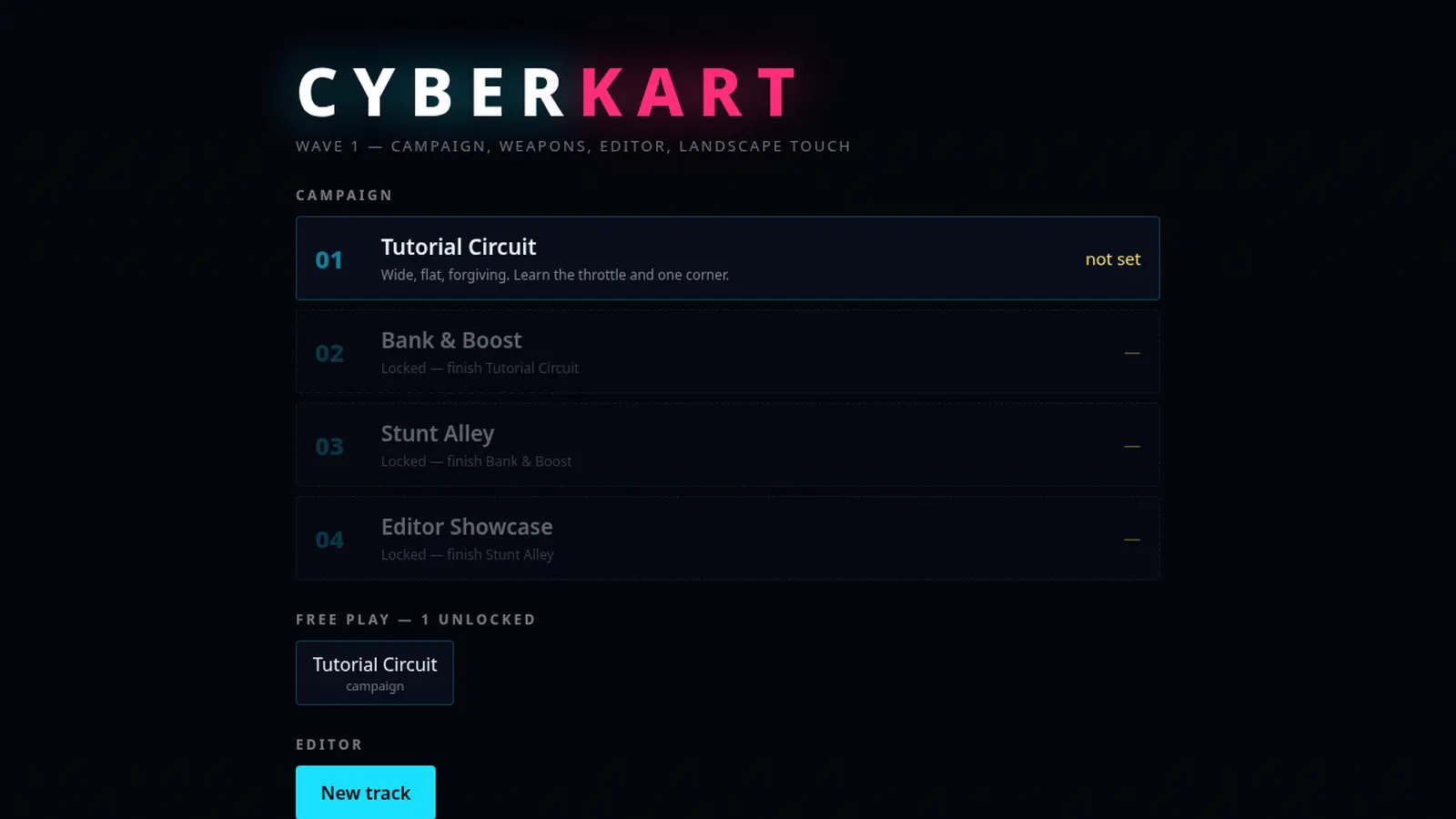
An earlier build of the CyberKart menu: a campaign list with the later tracks locked, a Free Play list, and a New track button under Editor.
Menu — campaign list, Free Play, and the editor
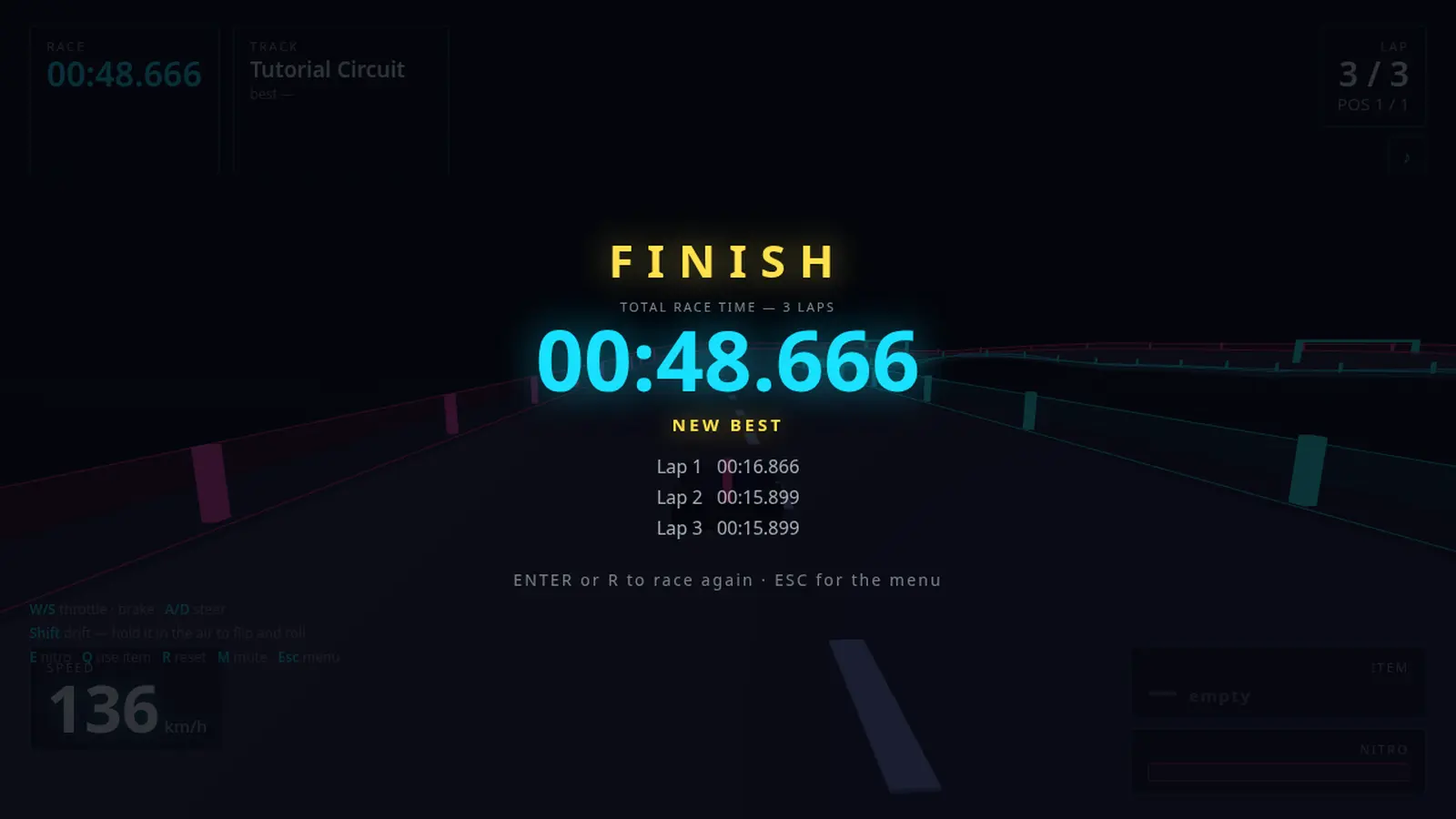
The FINISH banner over the Tutorial Circuit: total race time for 3 laps at 00:48.666, NEW BEST, and the three lap splits beneath, with Enter or R to race again and Esc for the menu.
Finish — three-lap total, splits, new best
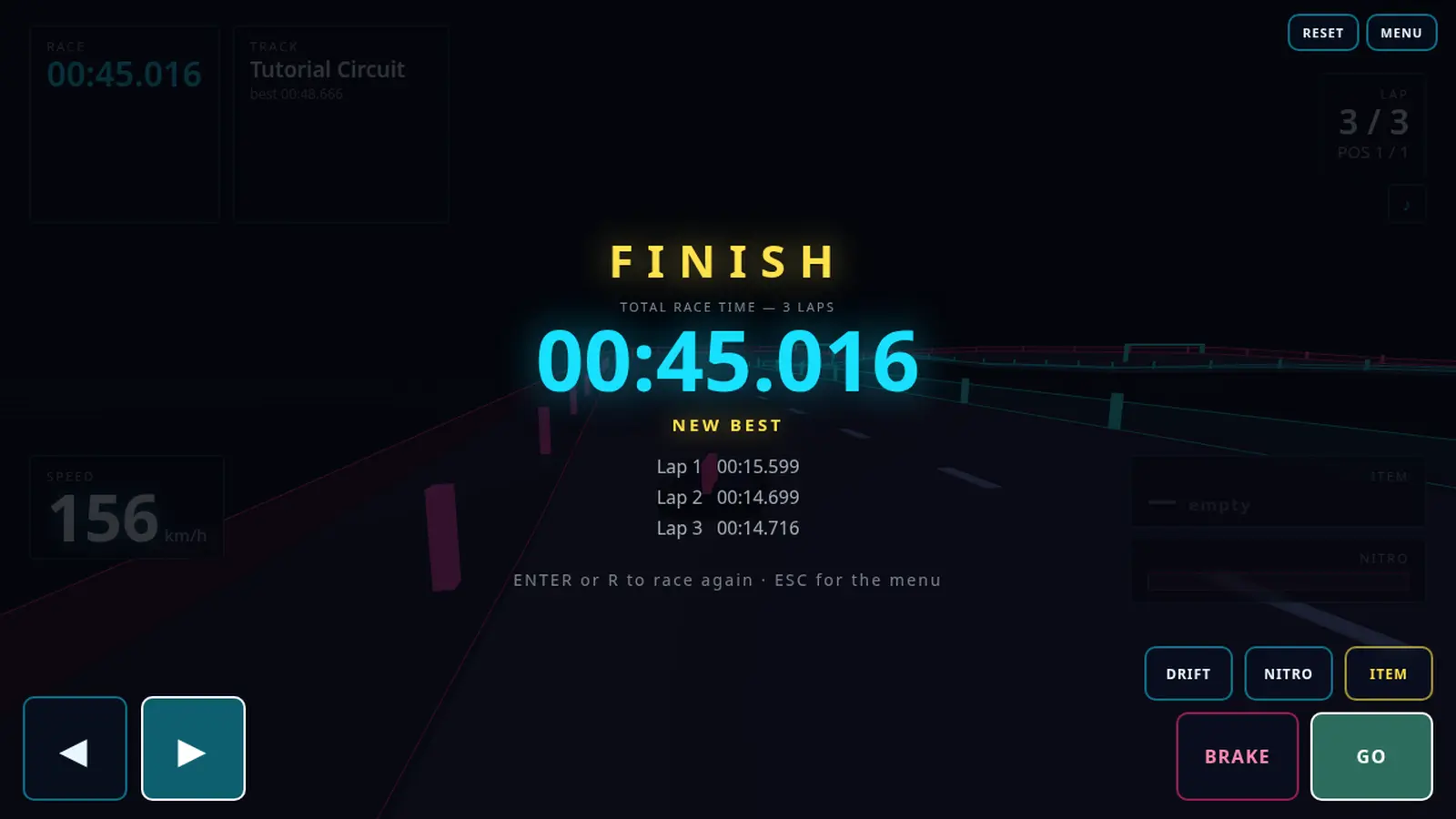
A finish on a phone in landscape: the FINISH banner and a 00:45.016 new best over the race, with the touch overlay drawn on top — steer arrows at bottom left, Drift, Nitro, Item, Brake and Go at bottom right, Reset and Menu at top right.
Landscape touch — steer, drift, nitro, item, brake, go
How to play
W / S
Throttle · brake
A / D
Steer
Shift
Drift — hold it in the air to flip and roll
E
Nitro
Q
Use item
R
Reset
M · Esc
Mute · menu

On a phone, turn it landscape and a touch overlay appears on top of the keyboard controls — steer arrows, Drift, Nitro, Item, Brake and Go. Campaign races are three laps; a Test Race from the editor is one. Enter or R races again from the finish screen.

Play

Runs in the browser on its own host. Nothing to install.